
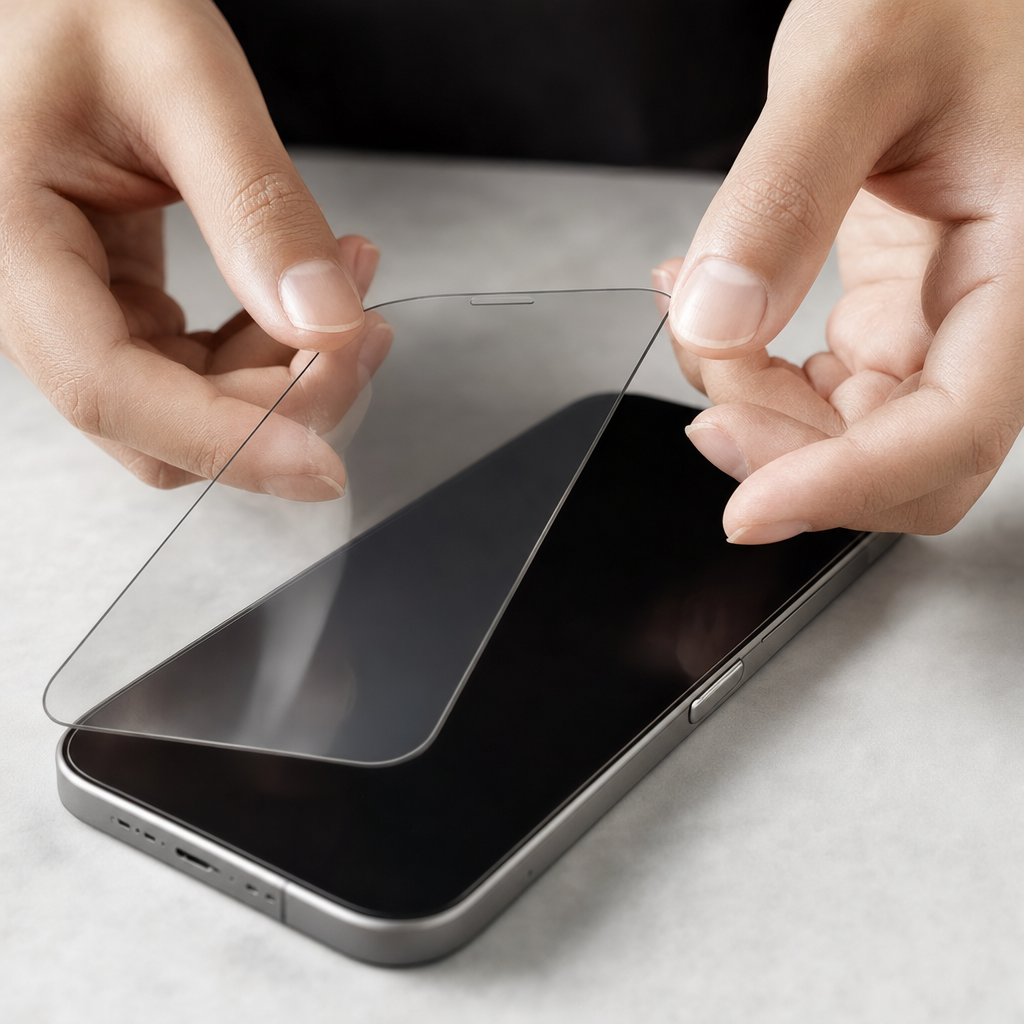
Understanding Your Screen Protection Options
When searching for the best screen protector, you will quickly discover that the marketplace is flooded with various materials, each promising ultimate defense for your fragile smartphone or tablet displays. Historically, plastic films dominated the market, offering basic defense against minor surface scratches while remaining virtually invisible to the naked eye. However, advancements in material science have shifted consumer preferences heavily toward tempered glass solutions, which absorb impact shock much more effectively during accidental drops. Understanding the fundamental differences between these materials is the crucial first step in selecting a product that genuinely aligns with your daily usage habits and environmental risk factors.
Beyond basic plastic and glass, specialized variants have emerged to address specific consumer demands, such as privacy filters that restrict viewing angles and anti-glare coatings designed to reduce harsh reflections under bright sunlight. Privacy filters utilize micro-louver technology to obscure your display from prying eyes on public transportation, making them exceptionally popular among professionals who frequently handle sensitive documents in crowded spaces. Meanwhile, matte or anti-glare protectors diffuse ambient light using a microscopically textured surface, which also significantly reduces fingerprint smudges but can sometimes introduce a slight graininess to high-resolution displays. Weighing these visual trade-offs against your need for privacy or scratch resistance ensures you make an informed choice tailored to your lifestyle.
Tempered Glass Versus Plastic Film: A Detailed Comparison
The debate between tempered glass and traditional plastic film essentially boils down to impact protection versus ultra-thin profile maintenance. Tempered glass undergoes a specialized thermal and chemical hardening process that makes it remarkably rigid, typically rated at 9H hardness on the Mohs scale, meaning it resists scratches from keys, coins, and even pocket sand. When a glass protector takes a severe blow, it is engineered to shatter sacrificially, absorbing the kinetic energy that would have otherwise cracked your actual device display. Conversely, plastic films—often made from polyethylene terephthalate or thermoplastic polyurethane—are flexible, self-healing in some cases, and add virtually zero thickness, but they offer minimal defense against high-impact drops.
Installation experiences also differ dramatically between these two primary categories, influencing how satisfied users are with their final purchase. Tempered glass sheets are rigid and generally much easier to align correctly on flat display surfaces without trapping stubborn air bubbles beneath the adhesive layer. Plastic films, particularly TPU variants, require a more meticulous wet or dry installation process, often demanding a squeegee tool to push out trapped pockets of air and moisture. Furthermore, glass maintains the smooth, premium tactile glide of your original factory screen, whereas lower-quality plastic options can sometimes feel slightly tacky or rubbery under your fingertips during scrolling and gaming sessions.
- Tempered glass offers superior impact and drop protection by absorbing shock.
- Plastic films are exceptionally thin and maintain a completely flush profile.
- Glass provides a natural finger glide identical to bare glass displays.
- Flexible TPU films can easily wrap around curved screen edges without lifting.
Key Factors to Consider Before Making a Choice
Navigating product listings requires paying close attention to device compatibility, especially regarding modern smartphone designs featuring curved edges and integrated under-display fingerprint scanners. A screen protector that extends too far toward the perimeter may conflict with protective phone cases, causing the edges to lift, catch on pockets, and accumulate dust over time. Look for products explicitly labeled as case-friendly, which feature slightly reduced dimensions to ensure seamless coexistence with your favorite bumper or rugged folio case. Additionally, if your device relies on an optical or ultrasonic fingerprint reader embedded beneath the glass, verify that the protector supports biometric functionality without requiring you to re-enroll your fingerprints multiple times.
Clarity, light transmittance, and oleophobic coatings are equally vital metrics that dictate the long-term usability of your chosen screen accessory. High-quality glass products boast a light transmittance rating of ninety-nine percent or higher, ensuring that your vibrant OLED or Retina display retains its original color accuracy and peak brightness levels. The oleophobic coating is a microscopic oil-repellent layer applied to the outer surface, which prevents facial oils and fingerprints from smearing across the glass and making the screen difficult to read outdoors. Over months of heavy use, this oleophobic layer naturally wears down, so selecting a brand known for durable chemical treatments can drastically extend the pristine look of your device interface.
Practical Guidance for Flawless Installation
Achieving a bubble-free, dust-free installation is largely a matter of environmental preparation and meticulous cleaning technique rather than pure luck. Start by turning off your device so the dark screen makes it easier to spot microscopic dust specks and smudges before you apply the new layer. Perform the installation in a low-dust environment such as a steamy bathroom after running a hot shower, as the moisture helps pull airborne particles down to the floor. Wash your hands thoroughly with soap and water to remove natural skin oils that could accidentally contaminate the inner adhesive surface during the alignment and pressing phases.
Most modern screen protection kits include comprehensive application toolkits featuring alcohol wipe pads, microfiber cloths, and specialized dust-removal sticker tabs. Begin by wiping the glass clean with the alcohol pad to dissolve grease, then dry and polish the surface immediately using the provided microfiber cloth in circular motions. Inspect the display under a bright light at an angle, and use the dust-removal sticker to dab away any stubborn lint particles remaining on the glass. If your kit includes an alignment frame, snap it securely over your phone to guarantee perfect positioning, carefully peel away the protective plastic backing liner, and gently lower the screen protector into place.
Maintenance, Longevity, and Replacement Indicators
Maintaining your screen protector requires minimal effort, yet regular upkeep can significantly preserve its optical clarity and tactile responsiveness over many months of daily handling. You should clean your device screen weekly using a clean, dry microfiber cloth designed for optics, avoiding harsh household window cleaners, ammonia, or abrasive paper towels that can strip away the protective oleophobic coating. If you notice persistent grime buildup around the earpiece cutout or speaker grill, a soft-bristled toothbrush can gently dislodge trapped pocket lint without scratching the surrounding glass surface. Treating the accessory with care during routine cleaning prevents premature wear and keeps your viewing experience crystal clear.
Knowing when to retire an old screen protector is just as important as knowing how to apply a new one correctly when your device begins showing signs of structural fatigue. You should immediately replace the accessory if you notice deep surface gouges, extensive spiderweb cracking along the corners, or persistent edge-lifting that allows dust particles to scratch the underlying display. A compromised glass layer loses its structural integrity and will fail to absorb subsequent drops effectively, leaving your expensive smartphone panel completely vulnerable to catastrophic failure. Keeping a spare protector in your drawer ensures you can swap out a damaged sheet instantly and maintain continuous protection.
Frequently Asked Questions
Do screen protectors interfere with touch sensitivity?
High-quality tempered glass and thin plastic films do not noticeably impact touch sensitivity. Modern touchscreens easily register inputs through these materials, though extremely thick glass or improper installation causing air gaps might occasionally require firmer taps.
How do I remove air bubbles trapped underneath?
Small air bubbles often disappear on their own within twenty-four to forty-eight hours. If stubborn bubbles remain, gently push them toward the nearest edge using a microfiber-wrapped card, or lift the nearest corner slightly to let trapped air escape.
Will a screen protector interfere with my phone case?
It can if the protector extends too far to the edges. Selecting products labeled as case-friendly ensures the dimensions leave a tiny millimeter gap around the perimeter, preventing your protective phone case from lifting the glass edges.
Are expensive screen protectors worth the extra cost?
More expensive options typically feature better oleophobic coatings, higher-grade tempered glass, superior shatter-resistance treatments, and helpful installation alignment frames that guarantee a precise, frustration-free fit on your device display.
Article Was Generated By AI.